Showing posts with label Computer and Internet. Show all posts
Showing posts with label Computer and Internet. Show all posts
Home Theater PC
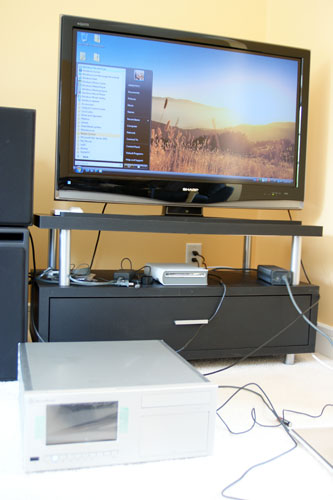
It is a simplest book that will guide you how to build your Home Theater PC. Do not thing that it is difficult to build home theater PC. Read this book and you will feel easy to build your home entertainment.
This book is the best home for media in my opinion and it continues to deliver the most responsive user experience. While the idea of a PC (or PC-like device) in every room of your house isn't quite as fleshed out as I'd like it to be, a Home Theater PC (HTPC) is easily a reality today.
The simplest contains of this book are:
- Introduction
- Choosing a Case
- The First Try: AMD 780G
- A Solid State Boot Drive
- A Huge Heatsink
- The Second Try: NVIDIA GeForce 8200
- The Setup
- Final Words
Read more...
Build the Ultimate Home Theater PC , 2006

The best enjoying in the world right now is entertainment. You love tinkering with technology. The digital lifestyle is your lifestyle. So building your own Home Theater PC just might be as entertaining as using it.
In these pages, a couple of fellow tinkerers will guide you by explaining the components and subsystems of a Home Theater PC and help you choose and pure-chase parts, assemble and test the PC, install Windows Media Center Edition, and get the whole thing up and running. Then enjoy your music or video by turning your Home Theater PC you’ve built by yourself.
This book is organized as followed here:
Part I: Meet the Modern Multimedia PC
Chapter 1: Basic PC Components and Elements
Chapter 2: Bringing Media to the PC
Part II: PC Pieces and Parts
Chapter 3: The HTPC Case and Power Supply
Chapter 4: The PC Motherboard
Chapter 5: The Central Processing Unit
Chapter 6: HTPC Memory
Chapter 7: Hard Disk Drives
Chapter 8: Optical Storage and HTPCs
Chapter 9: HTPC Graphics and Video
Chapter 10: Sound Cards and HTPC Audio
Chapter 11: HTPC Audio Setups
Chapter 12: Monitors and Displays
Chapter 13: Networking Your HTPC
Chapter 14: The HTPC Remote and Controlling Your Set-Top Box
Part III: Planning and Building Your Media Center PC
Chapter 15: Planning Your HTPC
Chapter 16: Assembling an HTPC
Chapter 17: Installing Windows XP Media Center Edition 2005
Part IV: Media Center PC Projects
Chapter 18: Building a P4 HTPC
Chapter 19: Building a Pentium M HTPC
Chapter 20: Building an Athlon 64 HTPC
Part V: Appendixes
Appendix A: More about Media Center PCs and MCE
Appendix B: (HT)PC Hardware Information and Resources
Appendix C: DVD and Movie Information and Resources
Appendix D: Digital Music Information and Resources
Appendix E:Windows Radio: Finding Stations and Recording
Appendix F: PC TV and Related Hardware Info
Appendix G: Home Video Hardware and Media Info
Appendix H: PC Audio Hardware and Playback Info
Index
Read more...
Build the Ultimate Custom PC

Why do they load up a PC with stuff you don't need and leave off the things you really want? Don't take it anymore! Grab a screwdriver and let these two experts show you how to build the PC of your dreams, even if you've never cracked a case before.
With this book you'll learn to choose the right components, install them safely, test your system, find the best prices on parts, and even trick out your new machine with some cool tweaks and mods. Plenty of illustrations and step-by-step directions make it easy, and you just might make your wallet happy, too.
This book is organized as followed here:
- Safety first
- Choose your tools
- Powering this puppy
- Motherboard knows best
- RAM it into drive(s)
- Video and sound are in the cards
- Bringing your PC to life
- Testing! Testing!
- Operate on Windows XP
- Warranties--in English
Read more...
Building the Perfect PC, 2nd Edition

With off-the-shelf computer systems to fit any budget or requirement, some people might wonder why you'd want to build your own. They don't understand that for many computer users, a ready-made system is about as satisfying as popping a frozen dinner in the microwave when you you'd rather have real food instead. Sure, it works, but it's not exactly what you need or want.
There's a lot to be said for a computer that has exactly the quality components you choose, by the manufacturers you choose, rather than the conveniently bundled assortment made for your price point. But perhaps you've stopped short of building your own because you're inexperienced or you're concerned it won't come out right. After all, you want your computer to be perfect. Hesitate no longer: Building the Perfect PC delivers end-to-end instructions (that even inexperienced PC-builders can follow) for creating your ideal machine.
Written by hardware experts Robert Bruce Thompson and Barbara Fritchman Thompson, this book covers it all, beginning with the various reasons why you'd want to build your own PC, planning and picking out the components, and putting it all together. The book outlines a variety of complete systems and all of their components, including a small form factor PC; a middle-of-the-road "sweet spot" system with top-notch components; and a top-end gaming PC with high-end video, a fast processor, and enough RAM to make your palms sweat just thinking about it.
Straight-forward language, clear directions, and extensive illustrations make this guide a breeze for computer builders of any level to follow, even those with little or no experience. If you've yearned for a quality machine with high-end components that suit your needs, then Building the Perfect PC will put you where you want to be: in control of your computer system.
The texts of this book are organized as followed here:
- Fundamentals
- Choosing and Buying Components
- Building a Mainstream PC
- Building a SOHO Server
- Building a Kick-ass LAN Party PC
- Building a Home Theater PC
- Building a Small Form Factor PC
Read more...
Build and Upgrade Your Own PC, Fourth Edition

Ian Sinclair's Build Your Own books have established themselves as authoritative and highly practical guides for home and small business PC users and IT technicians alike. All aspects of building and upgrading a PC are covered, making this the book computer retailers don't want you to read!
Build and Upgrade Your Own PC, 4th edition is based around building and upgrading to the latest systems, such as Pentium 4 or AMD Athlon XP motherboards running Windows XP and Windows 2000 Professional. As well as guiding you round the inside of your PC base unit Ian Sinclair also covers setup and security issues and peripherals, including:
- Monitors, printers and scanners
- Video capture
- DVD drives
- Small-scale networking solutions (wired and wireless)
- Security technologies, including Firewall
- Troubleshooting installation CD-ROMs
With this book you can:
- Save money by making your current PC last longer
- Discover the practical techniques of upgrading a PC and avoid the pitfalls
- Create the PC you really want, not just the off-the-shelf package from manufacturers
Read more...
The 2008 PC Builder's Bible

Getting your hands dirty and building your own system is what separates PC gamers from their console brethren, and it just so happens to be one of the most exciting parts of our hobby. Unfortunately, it’s also a pretty daunting process for anyone who hasn’t assembled his own rig from scratch. Thankfully, this guide not only gives you all you need to know about every component that goes in your gaming PC, but also thoroughly walks you through the entire building process with detailed instructions and helpful photographs.
We’ve always written the PC Builder’s Bible not only as a guide for new system builders who want more versatility from their computer, but also for hardcore enthusiasts who have to be on the cutting edge of technological innovation. And guess what, that includes us as well.
Every piece of hardware you’ll find recommended in this book is something we would buy for ourselves. The specs of our custom rigs are actually the same as the machines we’ve built for ourselves at home. That’s because we’re just like you; we want the most bang for our proverbial buck. And with more money saved from building a lean super-rig, you’ll have more money to spend on the awesome new games to play on it!
Read more...
Building a PC For Dummies, 5th Edition (Building a PC for Dummies)

By buying components and assembling them yourself, you can save a little money and gain a lifetime of free technical support. Building a PC for Dummies removes the intimidation factor from building your own Intel-based personal computer, explains what you need, and shows you how to put everything together. It's a fine place to start if you've never assembled your own machine before and want to give the process a try.
Shows tech hobbyists how to build the perfect PC, whether they want to create the ultimate gaming machine or combine new and recycled parts to construct an inexpensive computer for a child.
The do-it-yourself craze is sweeping through the tech community, and this guide is now significantly revised and updated to cover the wide array of new hardware and accessories available.
Step-by-step instructions and dozens of photos walk first-time computer builders through the entire process, from building the foundation, and adding a processor and RAM, to installing a video card, configuring a hard drive, hooking up CD and DVD drives, adding a modem, and troubleshooting problems.
Read more...
Linux Networking-Howto

Linux is a Unix-like computer operating system family which uses the Linux kernel. Linux is one of the most prominent examples of free software and open source development; typically all the underlying source code can be freely modified, used, and redistributed by anyone. It is installed on a wide variety of computer hardware right now, ranging from embedded devices and mobile phones to supercomputers or notebook.
The name "Linux" comes from the Linux kernel, originally written in 1991 by Linus Torvalds. The system's utilities and libraries usually come from the GNU operating system, announced in 1983 by Richard Stallman. The GNU contribution is the basis for the alternative name GNU/Linux.
This book explains about Linux Networking, the important thing when you are using popular linux operating system.
The contain of this book are:
- Informative background material for newcomers
- A generic discussion of networking issues
- Technology-specific information grouped in three main sections: Ethernet and IP-related information, technologies pertaining to widespread PC hardware, and seldom-used technologies.
Read more...
How Computers Work: Processor and Main Memory

Sure…. You have a PC at home or notebook that always you bring it to your office. Do not ever thing how your notebook or PC working? The answers are on this book.
Computers are the most complex machines that have ever been created. This is the first book to make it possible for ordinary people to understand precisely how the processor, the main and most complex part of a computer, works. In fact, it completely explains the operation of a complete, though simple, computer.
The book is as simple as possible and aimed at a non-technical audience with absolutely no knowledge of computers or electronics, but it is an electrical engineering text. A typical page consists of a circuit diagram (or program) and a paragraph or two of explanation.
The book begins with a VERY simple circuit and continues to a very complex circuit (a computer) while explaining everything. Everything has been made as simple as possible while leaving nothing out. Eighty-four circuit diagrams and some timing diagrams and short programs make every point clear.
Relays, which are explained, are used in the circuitry instead of transistors for simplicity, though transistors are mentioned.
Did you ever wonder what a bit, a latch, a word (of memory), a data bus, an address bus, a memory, a register, a processor, a timing diagram, a clock (of a processor), an instruction, or machine code is? Though most explanations of how computers work are a lot of analogies or require a background in electrical engineering, this book will tell you precisely what each of them is and how each of them works without requiring any previous knowledge of computers or electronics.
So do not miss your chance to get this book.
Read more...
A Beginner's Guide, Second Edition HTML

Do not thing that learning HTML is difficult. This book is a simple reference book that will guide you to understand HTML. This easy-to-use book explains the fundamentals of HTML and Web development. It is a basic to build your site or blog. It is an essential skill for first-time programmers!
The modular approach of this series--including drills, sample projects, and mastery checks--makes it easy to learn to use this powerful programming language at your own pace.
Read more...
PC Hardware Tuning and Acceleration

This is a book that will guide you how to tune and accelerate your PC.
From choosing overclocking tools and setting the optimal mode to allowing the fulfillment of the potential of a PC's components, this reference discusses solutions to the problem of computers that do not performing well enough to accommodate your requested tasks. Examined are the particular features of using processors, memory, video adapters, and hard drives both in moderate and extreme modes while trying to obtain a substantial rise in performance for both old computers and computers that contain more modern components.
The results of testing computers with various configurations that have overclocked components are also demonstrated. A list of helpful web sites pertaining to acceleration is provided, as well as a guide to choosing components. Also covered are several advanced overclocking topics such as ways of making the CPU and motherboard compatible and the problems with overclocking IDE devices.
Read more...
Managing Online Forums

Every day, millions of users log on to their favorite online forums and interact with others to get advice and discuss everything from the latest news and trends to their hobbies to their professions to whatever else strikes their fancy. Administrators have to lead these communities, deal with difficult users, and choose moderators. Legal constraints, spammers, and technical issues can turn the excitement of running an online community into chaos. With the right guidance, however, running forums can be a pleasure.
Patrick O’Keefe has spent years developing and managing online communities. Now, he shows readers how to make the right decisions about every aspect of their forums, including:
- choosing a name and domain name
- picking the right software
- deciding on user options like avatars and private messaging
- setting guidelines and dealing with violators
- ensuring that posts stay on topic
- settling online disputes among users
Read more...
The Complete Guide to Windows Server 2008
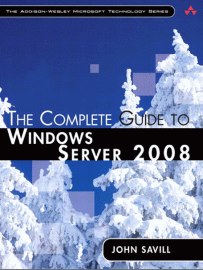
John Savill—one of the world’s most visible and trusted experts on Windows Server technology—specializes in helping real companies use Windows Server 2008 to run their businesses. His access to Microsoft’s product team as a Microsoft MVP and one of 50 elite “Windows Server 2008 Delta Force Rangers” benefited this book’s accuracy and value.
This book contain the topics following here:
- Deployment planning, implementing, and managing new features, including Windows Server Core and Hyper-V virtualization
- Choosing the right installation and upgrade options for your environment
- Securing Windows Server 2008: authentication, authorization, BitLocker, certification services, and more
- Implementing TCP/IP, advanced network services, remote access, and thin-client Terminal Services
- Active Directory in depth, including Federated Services, Lightweight Directory Services, and Rights Management
- Providing high availability through Network Load Balancing and failover clustering
- Using Windows Deployment Services to quickly deploy multiple servers
- Supporting complex distributed environments with the Distributed File System
- Automating server management with PowerShell and the command prompt
- Integrating Windows Server 2008 with UNIX, Linux, and legacy NetWare servers
- Troubleshooting Windows Server 2008 and Vista environments, including an intuitive “how to” index to quickly locate answers to commonly asked questions
Read more...
Subscribe to:
Posts (Atom)